

Every content team wants the same thing: a publishing process they can trust. Reviewers need clear feedback, authors expect their content to appear exactly as intended, and organizations rely on seamless integrations to keep critical workflows moving.
Fonto 8.17 strengthens every step of that process. This release delivers a smoother review experience, more accurate and consistent publishing output, and deeper integration capabilities for regulated industries. From improved suggestion handling and document history to higher-fidelity PDF and Word exports and new Veeva RIM connectivity, Fonto helps teams publish with greater speed, confidence, and control.
Whether you’re creating technical documentation, regulatory submissions, educational content, or scholarly publications, Fonto 8.17 gives your teams a stronger foundation for producing high-quality structured content at scale.
Fonto Editor
Fonto Editor receives a meaningful round of new capabilities and reliability improvements in 8.17. A new fonto-doc-load:signal-loading-state function gives developers more control over how document references with slow-resolving IDs are handled, providing a clean successor to the now-removed reference pipeline. For teams working with mathematical content, the WIRIS defaultStretchy option can now be set to true, improving compatibility with MathJAX rendering.
Underneath the surface, a strong set of reliability fixes addresses real-world edge cases: errors when clicking cells near the bottom of tables, a regression where long element menus would stop scrolling, and unexpected view shifts when scrolling near images still loading. Styling changes from the WIRIS MathML editor now save reliably, and the NumericStepper once again respects configured decimal precision.
Developers will also find some focused quality-of-life improvements: TypeScript types have been refined based on partner feedback, applyCss now auto-completes to valid CSS property names, and the DITA example configuration has been simplified to remove duplication and apply fonto:curated-text-in-node consistently.
Fonto Document History
Building on the Review integration introduced in 8.16, Fonto Document History takes the unified review experience in publication mode a meaningful step further. A new mode lets teams see changes between only the first and last revision of a selected date range, surfacing the net result of all changes in that period rather than every intermediate step. This is particularly valuable for reviewing content that has passed through many hands over a longer timespan. In those scenarios, users can focus on the changes resulting of that process, instead of looking at who did what and when exactly.
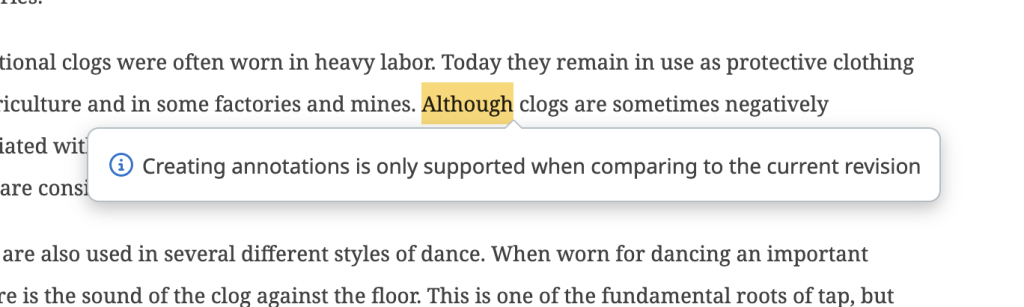
We’ve also added an option which can be used to restrict commenting only on changes, with a few additional options that let you further control where comments can be placed. This is made to cater for review process where the document only got updated in some places, not all. The content that hasn’t changed is then not in scope of the review cycle.
A round of targeted fixes around creating and applying review proposals ensures that moving between the editor and the history view stays smooth and predictable. Document History has been upgraded to .NET 10.0.8.
Fonto Review
Suggestion Mode continues to mature in this release. A range of real-world edge cases have been resolved: previews for tombstoned suggestions now appear correctly, suggestions unload properly when switching documents, and accept/reject controls and status labels display consistently. The line markers indicating suggested inserts and deletes are now a little easier to click, and the reference configuration ships with an improved proposal balloon that always offers a reply field when there is no apply button.

Reviewers will also notice that the “Insert annotation” popover now repositions itself correctly and stays out of the way when an annotation cannot be created based on the selection. As with our other backend services, Fonto Review has been upgraded to .NET 10.0.8 for the latest security fixes.
Fonto Content Quality
Fonto Content Quality adds a practical configuration improvement: the initial state of the “Skip uneditable documents” filter can now be set directly in the configuration, so the panel opens exactly the way your authors expect. The backend has been upgraded to .NET 10.0.8 for the latest security improvements.
Fonto Output
Output consistency is a central theme of this release. Fonto Output has received a significant round of fixes to ensure that document previews, PDF exports, and DOCX exports all render as intended, with improvements to layouts, headers, footers, lists, tables, and styling across all formats. What you see in preview is now much closer to what your audience receives.
Tracked changes in exported Word documents are now handled more reliably across a wider range of editing scenarios. Pagination has been refined to produce more predictable layouts in longer, more complex documents, now that paragraphs can be split. Table of contents updates have also been improved, reducing unnecessary processing in Microsoft Word when keeping large documents up to date.
A further round of stability, validation, and platform improvements strengthens the foundation for document generation and prepares the ground for future enhancements.
Tridion One
Tridion One extends its integration capabilities with a new connection to Veeva RIM. Once configured, outputs can be uploaded directly to Veeva using a dedicated endpoint, streamlining workflows for teams operating in regulated industries such as life sciences and pharmaceuticals.
This release also introduces support for multiple tagging data sources, making it possible to send several collections of tags under different names to the editor simultaneously. This opens up more flexible and nuanced tagging strategies for teams with complex content taxonomies.
What’s Next?
Upcoming releases of Fonto will bring long-awaited improvements to comment management. While the balloon interaction provides excellent in-context feedback, tracking large volumes of comments across a document can become overwhelming. We are introducing an alternative sidebar approach that lets reviewers scroll through all comments without losing sight of the content they relate to.
Alongside this, we will be adding the ability to group comments and tag specific ones for further processing, so teams can focus on defined buckets of commentary and make review interactions significantly more efficient.
Explore our full roadmap.
Try Fonto 8.17 today!
Ready to explore the latest updates? Give Fonto 8.17 a try and experience the improvements for yourself.

Customer Success Manager at Fonto – Passionate runner and Dad