

Review cycles shouldn’t slow your team down, and publishing shouldn’t mean fixing formatting by hand. Fonto 8.18 gives reviewers real tools for handling large volumes of feedback, and delivers faster, more Word-faithful output with support for redline documents.
Fonto Review: Handle feedback at scale
Large documents attract large numbers of comments. Two new features in Fonto Review make that volume manageable.
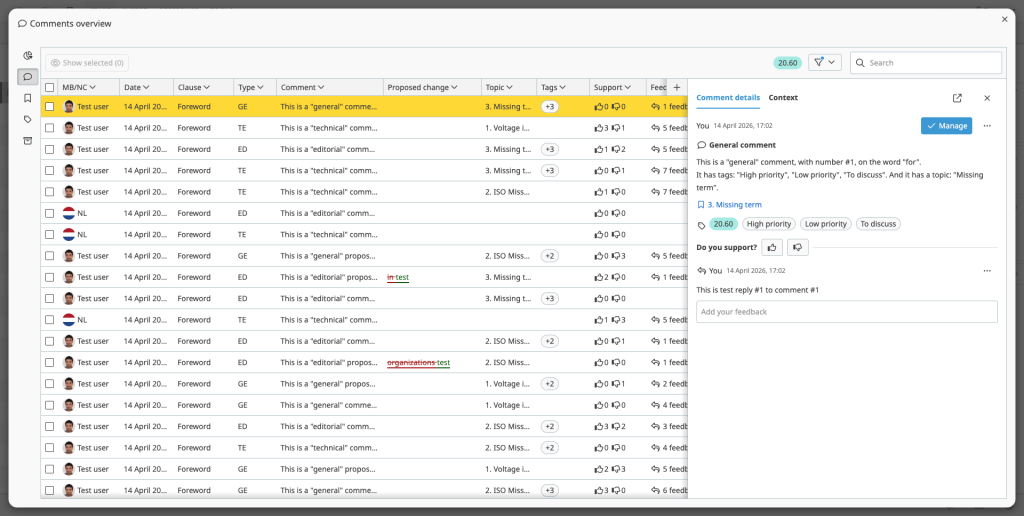
A distraction-free annotations overview. Open all comments in a dedicated modal and work through them without distraction. Search and filter the full set, apply batch actions to multiple comments at once, and adjust the columns to match your own way of working.
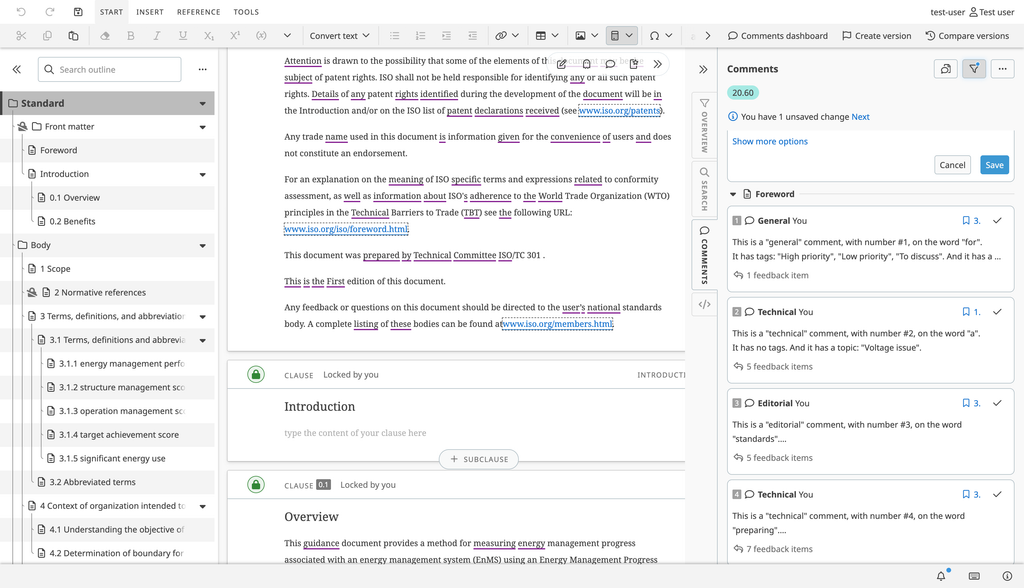
A new Review sidebar. The sidebar strikes a balance between the overview and the balloons, so every user can choose the workflow that suits them. Prefer comments right next to the content? Keep using balloons. Need a broader view without losing sight of the text? Switch to the sidebar. Batch actions are available here too, for example to share or resolve several comments in one go.
Fonto Output: Redlines, speed and Word-like fidelity
Redline support. Tracked suggestions are now exported as annotations that highlight proposed insertions and deletions, giving reviewers a clear view of what is changing.
Faster generation. Pagination is quicker, and so are large publications with many internal references. You can also configure attribute indexes to speed up element resolution in large publications.
More consistent with Word. Lists, tables, paragraph spacing and sub/superscript text now render more closely to Word in both Preview and PDF.
These and many more improvements are waiting for you in Fonto 8.18.
What’s next?
We’re not slowing down. Explore our full roadmap to see where Fonto is heading.
Try Fonto 8.18 today
Ready to see the difference? Give Fonto 8.18 a try and experience the improvements for yourself.

Customer Success Manager at Fonto – Passionate runner and Dad